Simplifying Test Claims
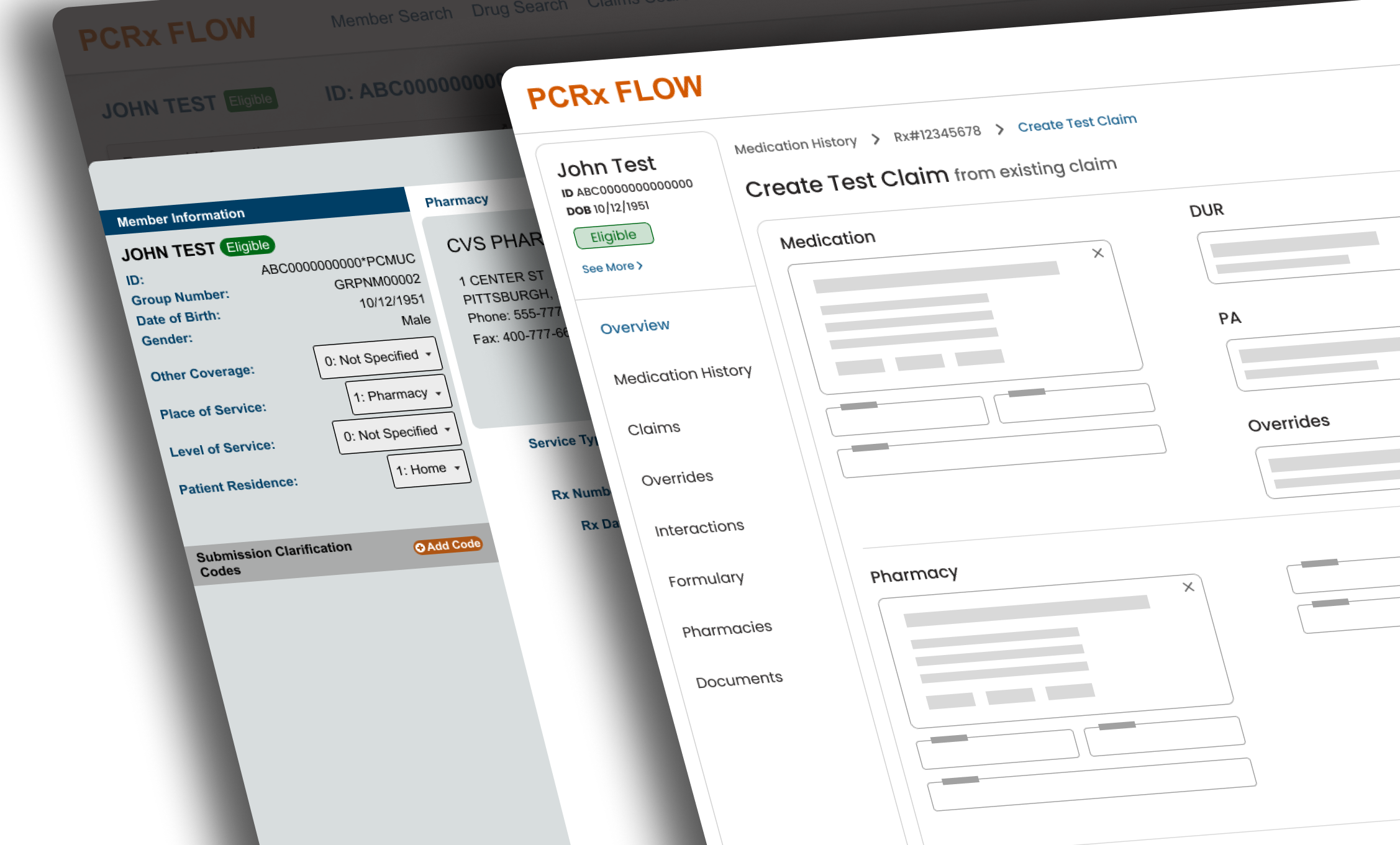
How I worked cross-functionally to resolve Test Claims pain points in an end-to-end redesign of a Member Support application.
Responsibilities
- Qualitative Research
- Prototyping
- Cross-functional collaboration
Timeline & Team
1 month, working with a Product Manager and a Business Analyst
Outcomes
- Delivered value despite constraints
- Positive user feedback
- Efficiency gains being measured
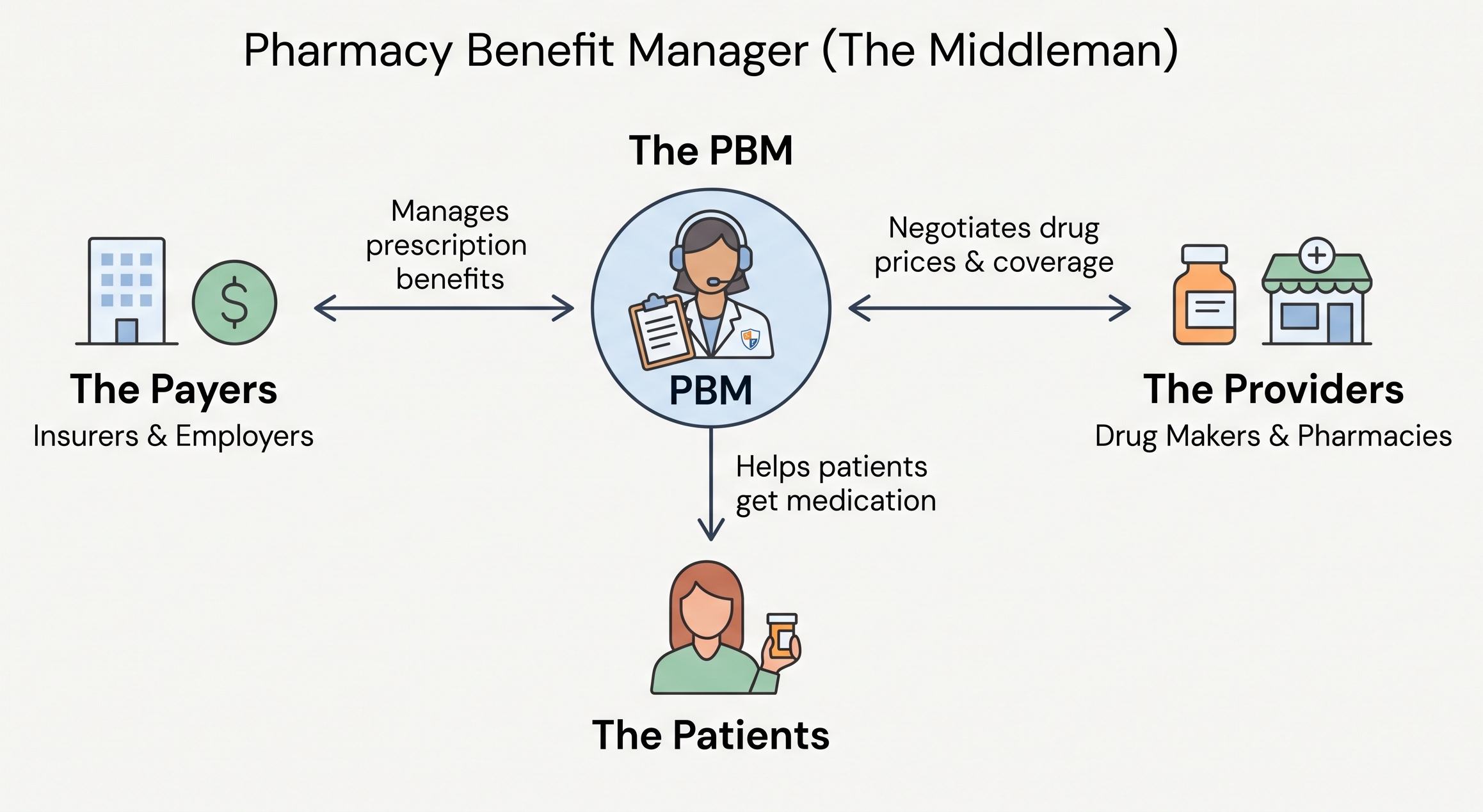
Company overview
Pharmacy Benefit Manager
Custom built tools for setting up benefits, processing drug claims, and providing member & client support.
3 founding designers were hired to bring user-centered design and consistency across these homegrown apps.
Project background
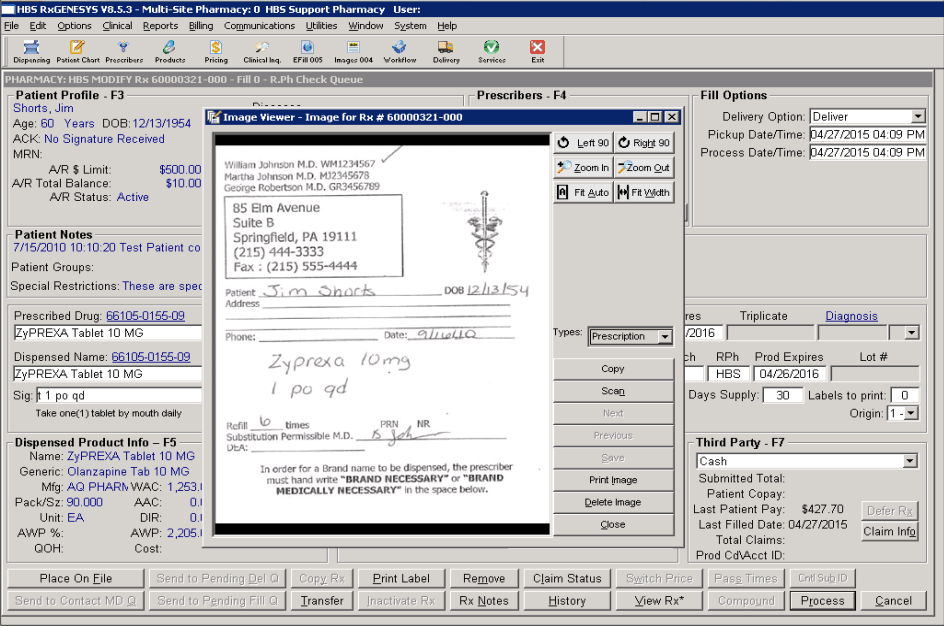
PCRx is a 20 year old desktop application that runs everything at this PBM
Used internally for everything from benefit configuration to claims adjudication, running test claims, manual claims, and tracking communications with PBM members.
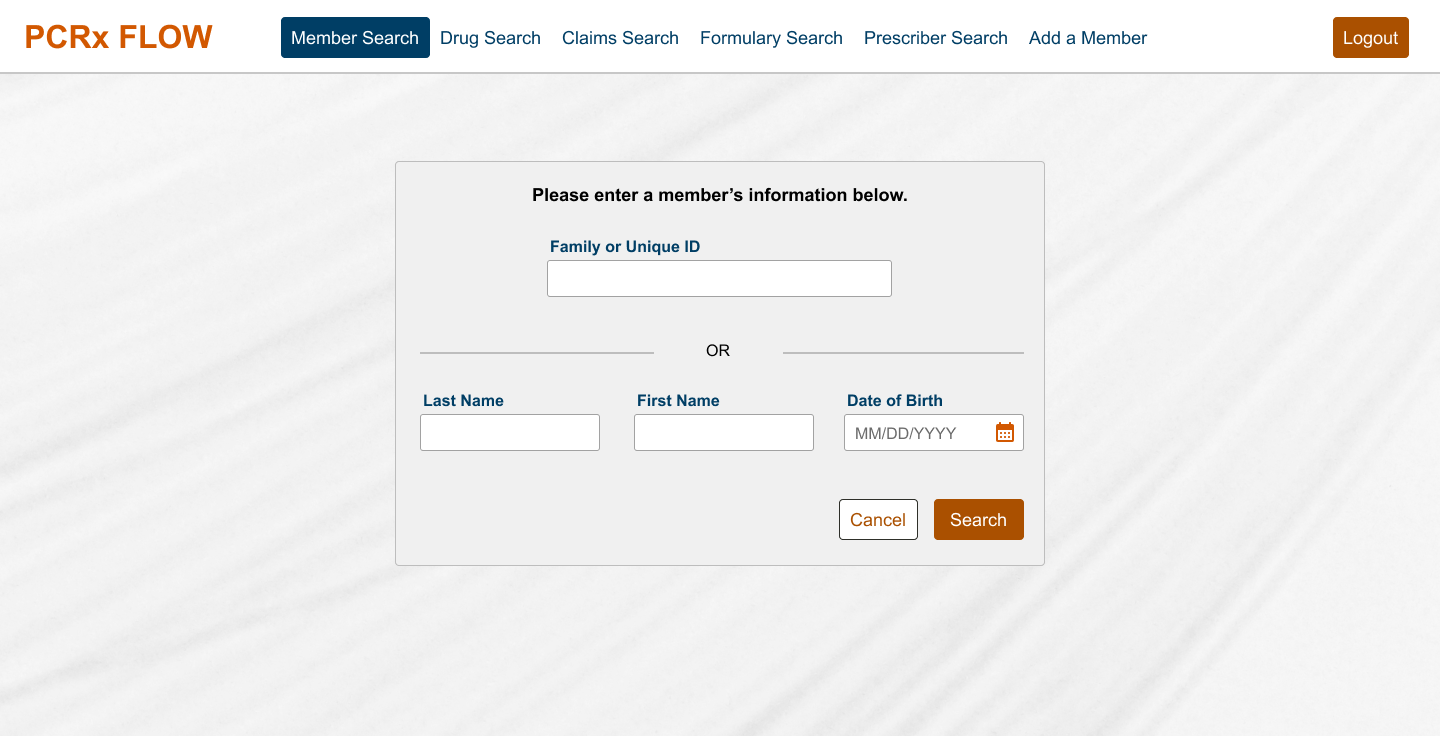
PCRx Flow: a modernized version for clients
PCRx Flow was built to surface some of the PCRx data for clients. Built long before design was a practice at the enterprise, it ended up a patchwork of reactive feature additions based on client requests, built with now aging UI components.
Summary of my work to this point
In my other case study, Resurrecting PCRx Flow, I told the story of how my user research and communication with stakeholders brought this app from the back burner to a top priority in 2026.
- My user interviews and UI/UX analysis surfaced 4 core opportunities to provide value to our users
- I contributed to a Business Case for investing in a redesign of PCRx Flow
- I collected user validation and feedback on my conceptual prototypes
- I presented my recommendations with grounded rationale to Senior Leadership
Focus
This case focuses on Test Claims
As part of the resulting end-to-end redesign, one big focus was the Test Claim creation workflow. It was both a core workflow and a significant area of friction for users.
What are Test Claims?
When users get calls from members about drug claims that didn’t go through, they create mock claims to simulate the real thing and investigate the issue(s). Sometimes they have to work through several issues, or rejections, to get the claim to pay.
Helpful existing feature: they could populate a test claim form with info from an existing claim.
Test Claims are like crash tests for drug claims.
User research
Points of frustration
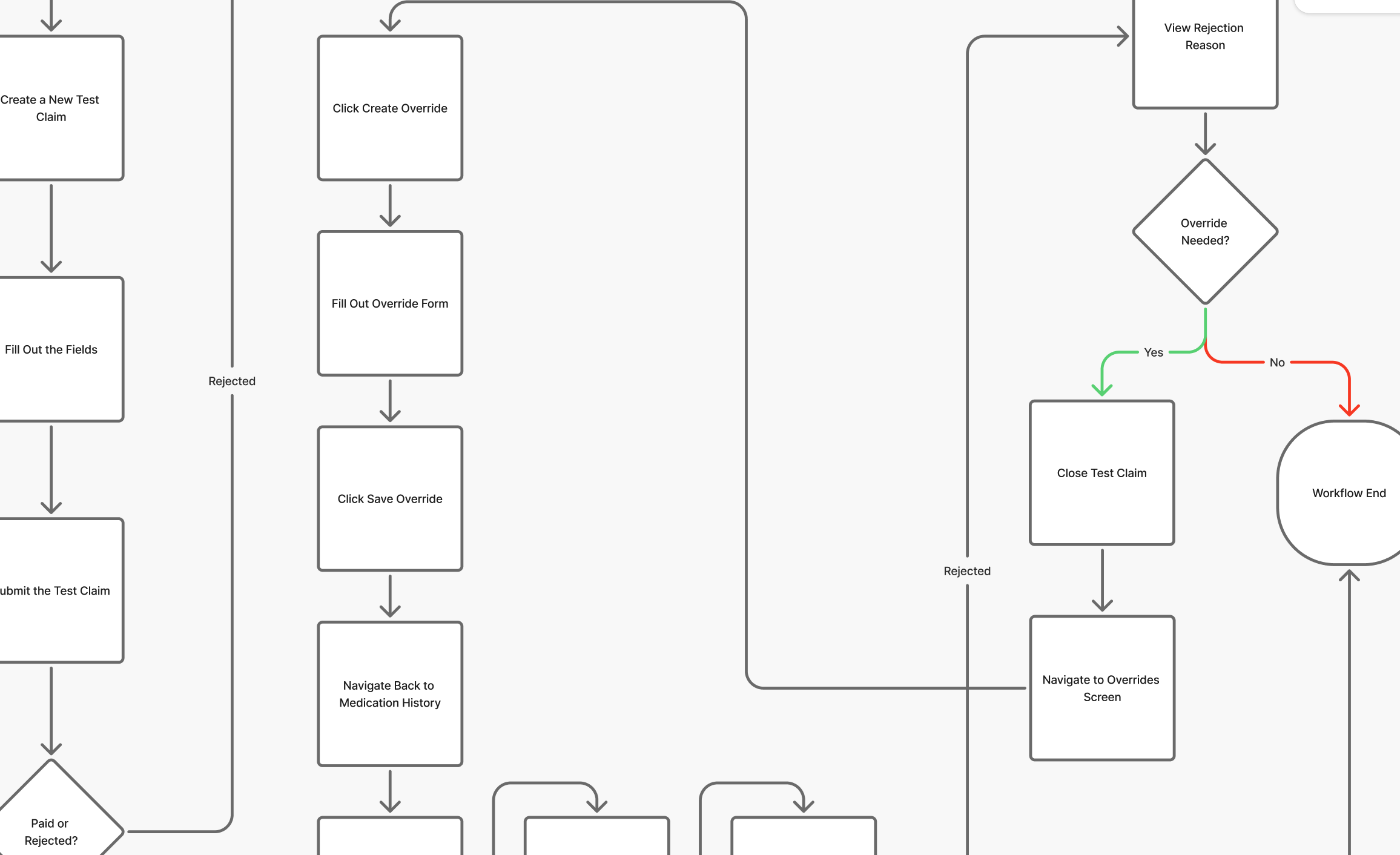
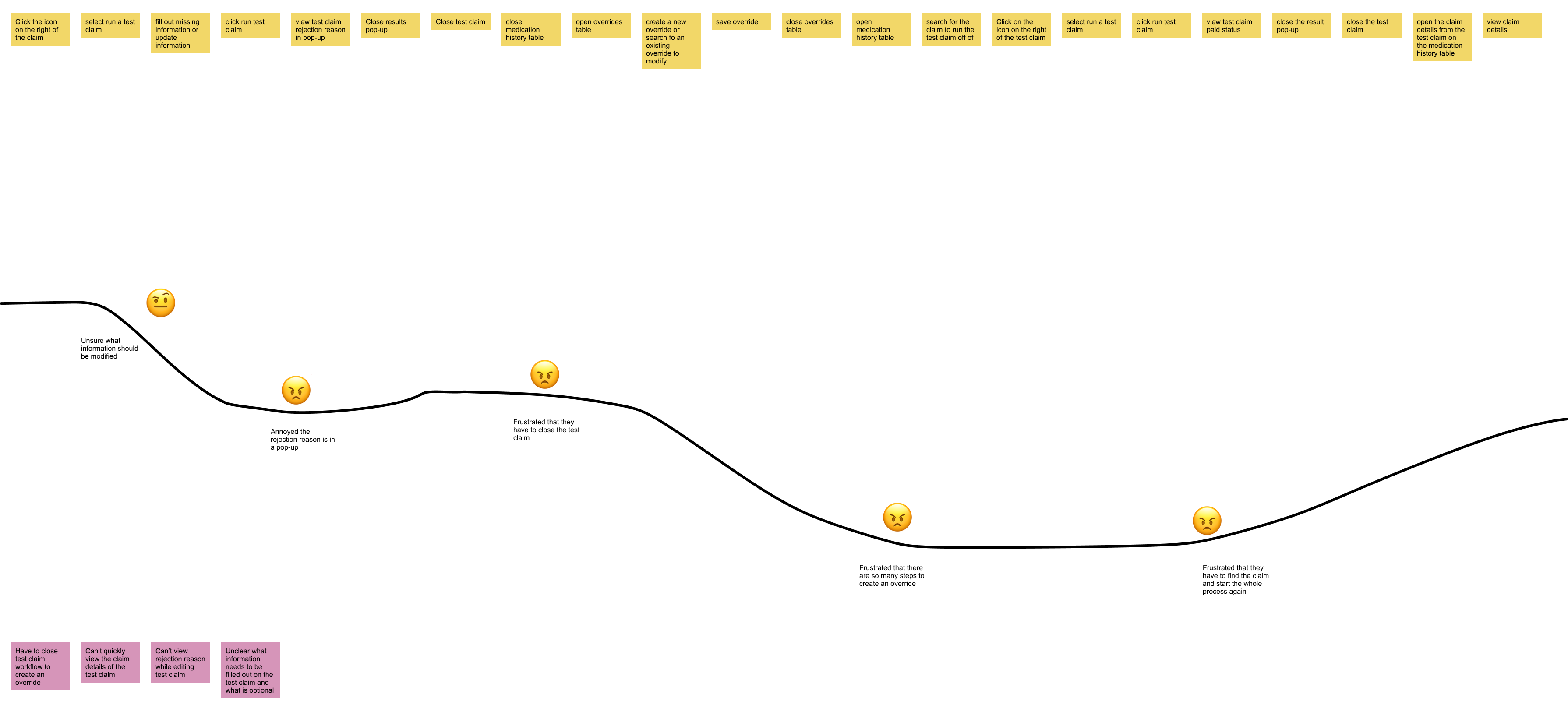
- When a Test Claim was created from an existing claim, it was impossible to view the original claim response without abandoning the Test Claim form
- Time spent (30-50s) navigating away and coming back
- Cognitive load of remembering what they went to look at
- If a Test Claim was rejected because it needed an override, it was impossible to add the override without abandoning the Test Claim flow
Design & prototyping
Bringing the claim response into the Test Claim flow
I rearranged the form to allow the original claim response to display on the page and be accessible at any time during test claim creation.
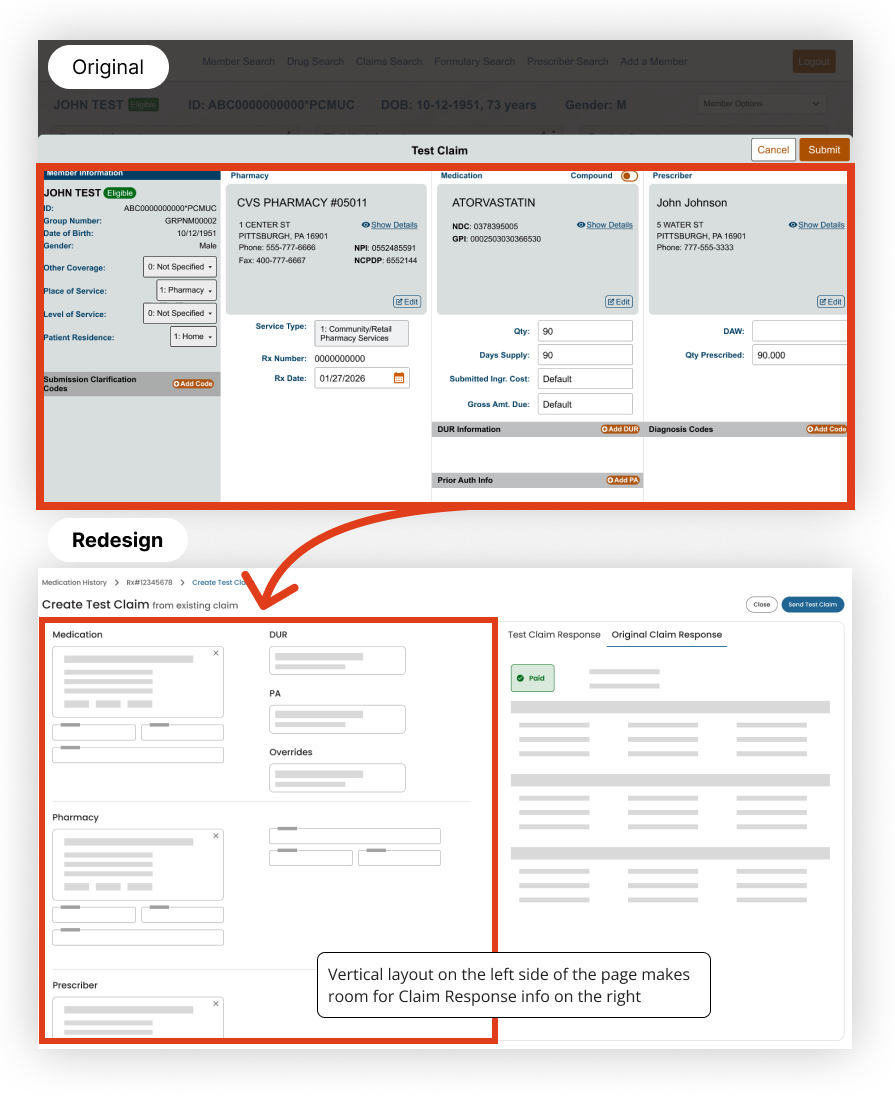
But was it okay to introduce some scrolling? The existing Test Claim form required no scrolling, and my redesign would add vertical scroll.
- During feedback sessions users were completely okay with that trade-off
- It also made the form more scalable in case it had to grow to accommodate other cases in the future, like manual claims
Bringing overrides into the flow
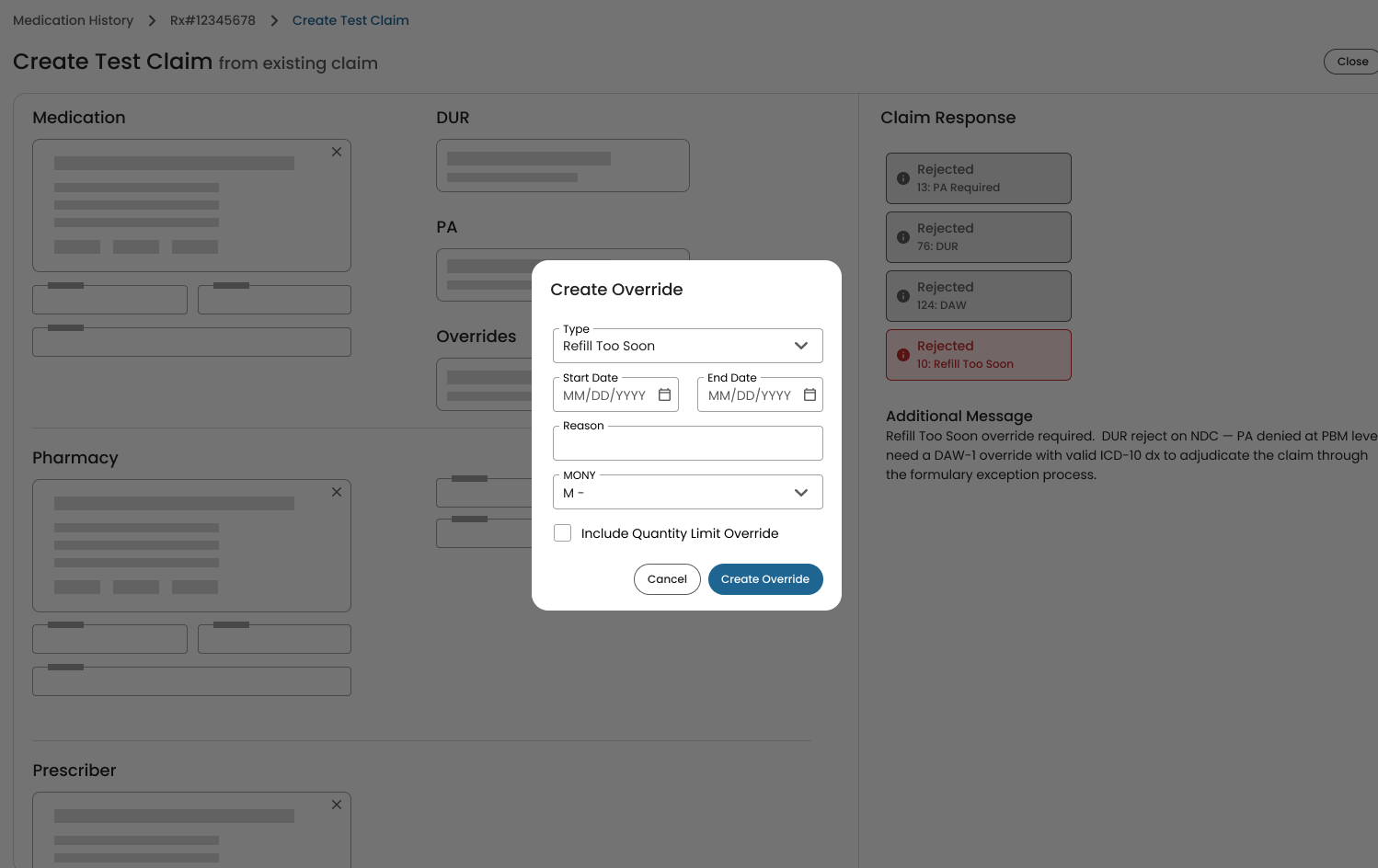
Bring the tool to the workflow, instead of sending users away. Based on feasibility constraints, I included only the most common override types:
- Refill Too Soon was 5X more common than others, according to data from the analytics tool Grafana
- Users I interviewed mentioned Refill Too Soon more than any other type of override, and anecdotally considered it was used “99% of the time”
- I verified in user interviews that Quantity Limit Overrides often accompanied Refill Too Soon Overrides
Constraints
My design for integrated overrides was technically impossible
I spent 2 days locked in a virtual room with the PM, BA, and Lead Developer. We discovered a few upstream technical constraints that would require adapting the design. There wasn’t a viable way to have my fully integrated sub-flow for adding an override within the Test Claims form:
- Complex upstream logic rules for detecting duplicate overrides
- In some cases Refill Too Soon overrides had to be created by editing active overrides rather than creating new ones
I would have to adapt my design to deliver value to the users within this constraint.
Business pressure compressed the timeline
The enterprise was accelerating this project, doubling the features required per quarter. As the sole designer, I was responsible for preparing end-to-end designs for several features in a very short time frame. I had to deliver something quickly without giving up the value this feature was intended to provide to the users.
So I had to design the next best thing under the circumstances.
Design & prototyping
Adapted design
- When a rejection came in requiring a Refill Too Soon override (or any other rejection), the form would scroll to that field or section and highlight it
- The overrides button, when clicked, would open the overrides page in a separate browser tab
- Via a deep link, the application would know the user came from the Test Claim flow, and would automatically close the tab once they saved, returning them to the test claim flow
- The user could then resubmit the test claim
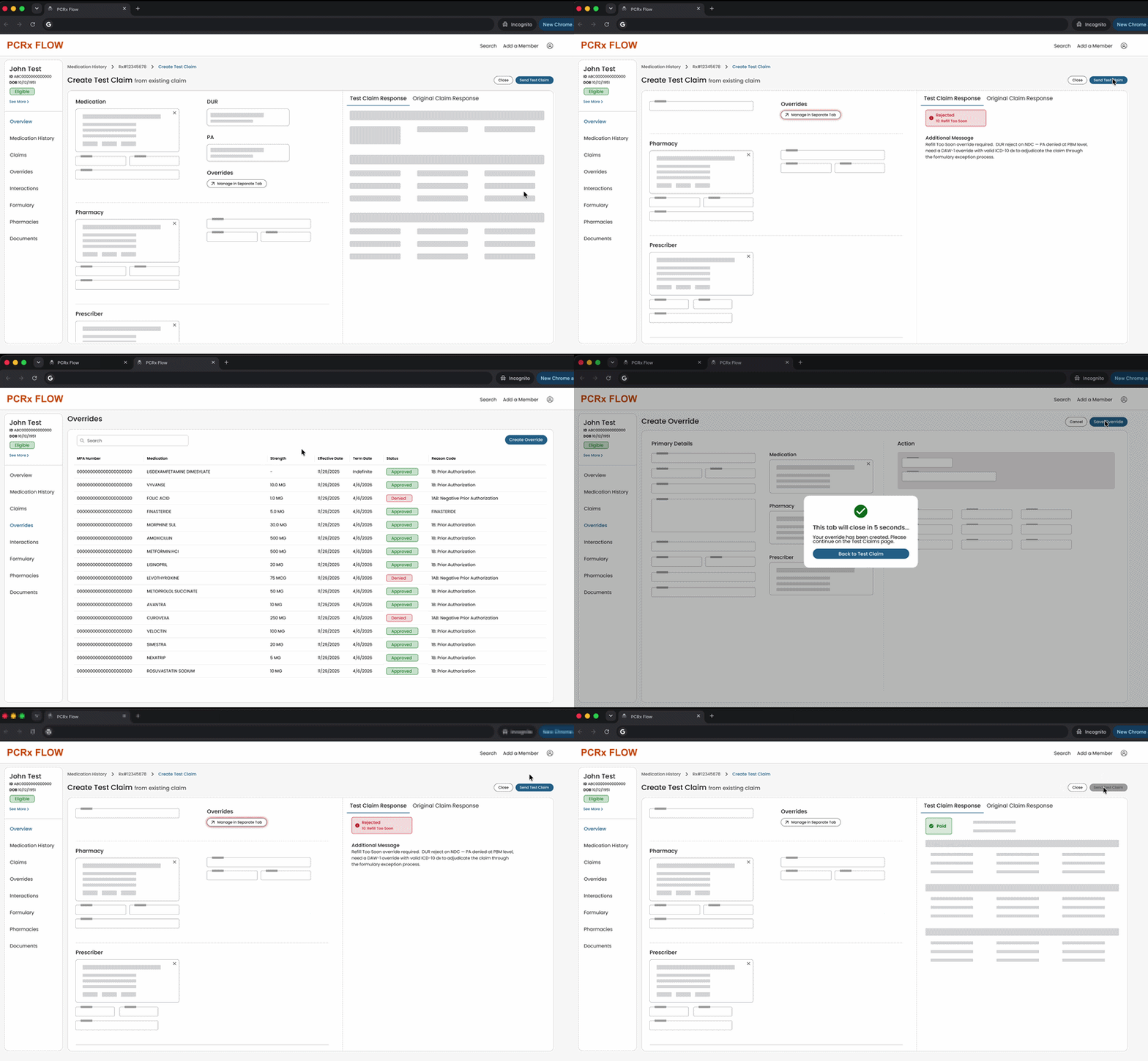
Although not ideal, this design preserved the main goal of the Test Claims update: avoid making the user abandon the flow to manage Overrides.
Outcomes
User response and efficiency gains
Users are excited to get an update to this core (but sometimes troublesome) workflow, and they responded very positively to the prototypes.
The Continuous Improvement team is measuring efficiency gains: taking baseline timings on the current workflow, and will take timings on the new flow to measure improvement. I’m estimating at least a 10-15% efficiency improvement, but there is more to the outcome of this design work than workflow timings alone.
Successful delivery of value
Despite project acceleration and technical limitations, I delivered a design that did not compromise on the core value intended for users: complete a Test Claim more efficiently by eliminating the need to abandon the creation form to complete supporting tasks.
- Less friction
- Less cognitive load
- Less fragmented experience
*Mockups and screenshots in this project have been recreated from scratch and/or anonymized or abstracted to protect confidentiality.